TLS Decryption
Kubeshark decrypts encrypted traffic and makes it available for inspection in clear text — no private keys, no certificates, no sidecars, no application changes. It hooks the cryptographic library inside each targeted container with eBPF, intercepting data after decryption (on read) and before encryption (on write), so plaintext is captured directly from process memory.
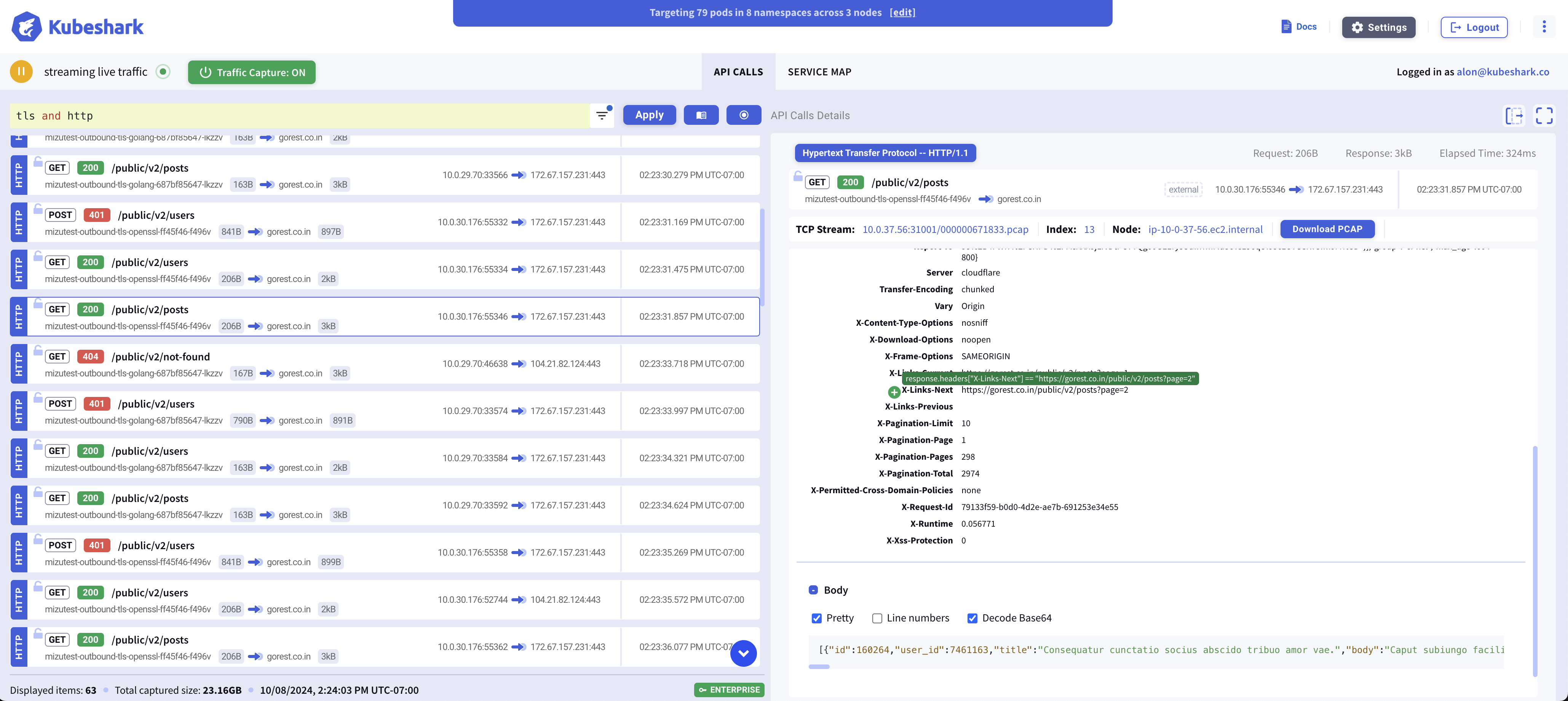
Decryption Is Image-Specific
Every container image running in the cluster uses a specific TLS tech stack — Go’s crypto/tls, OpenSSL, BoringSSL, and so on. Each of these requires a different method to perform decryption, and each is affected by how the binary was built (dynamically vs. statically linked, stripped vs. with symbols).
Kubeshark identifies the library inside each targeted container and attaches the appropriate eBPF probes automatically. It currently targets the cryptographic stacks that account for the overwhelming majority of TLS terminations in cloud-native workloads:
| Library | Typical Languages / Runtimes | Example Workloads |
|---|---|---|
| OpenSSL | C, C++, Python, Ruby, PHP, Perl, Lua / OpenResty | nginx, HAProxy, Apache httpd, MySQL, PostgreSQL, Redis, MongoDB, Kong, APISIX |
| BoringSSL | C, C++, gRPC stacks | Envoy, Istio data plane, gRPC services |
Go crypto/tls | Go | Traefik, Bifrost |
Together these cover the dominant share of cloud-native traffic: web servers, ingress controllers, API gateways, service-mesh data planes, databases, caches, and message brokers. Supported linking and symbol combinations include:
- OpenSSL and BoringSSL — dynamically or statically linked
- Go
crypto/tls— stripped or with symbols
Service Mesh & mTLS
Because Kubeshark hooks the crypto library inside the workload, mTLS-encrypted traffic is captured in plaintext with no additional setup. This applies to Istio, Cilium Service Mesh, Consul Connect, and other Envoy-based meshes. See Istio support for additional notes.
On-Demand Support for New Images
There may be images that are not yet covered. In most cases, support for a new image can be added on demand. If you are running a workload and do not see its traffic decrypted in clear text, please reach out via our contact us form and request activation for that specific image.
Supported Images
The list below is not exhaustive — it is a set of images Kubeshark has been explicitly tested against. Support very likely extends to many more images built on the same TLS libraries.
Web Servers, Reverse Proxies & Load Balancers
Kubernetes Ingress Controllers & Gateways
registry.k8s.io/ingress-nginx/controllernginx/nginx-ingress(F5 NGINX)nginx/nginx-gateway-fabrickong/kubernetes-ingress-controllerhaproxytech/kubernetes-ingressjcmoraisjr/haproxy-ingresstraefik
API Gateways
Service Mesh Proxies
istio/proxyv2(Istio Gateway, Envoy / BoringSSL)istio/proxy(Istio sidecar, Envoy / BoringSSL)
AI / LLM Gateways & Inference Servers
vllm/vllm-openaighcr.io/berriai/litellmghcr.io/huggingface/text-generation-inferencenvcr.io/nvidia/tritonservermaximhq/bifrost
Databases
Message Brokers
Observability
Don’t See Your Traffic Decrypted?
If traffic from one of your workloads is not showing up in clear text, the image likely uses a TLS path we haven’t explicitly activated yet. Contact us with the image name and we’ll work with you to enable decryption for it.